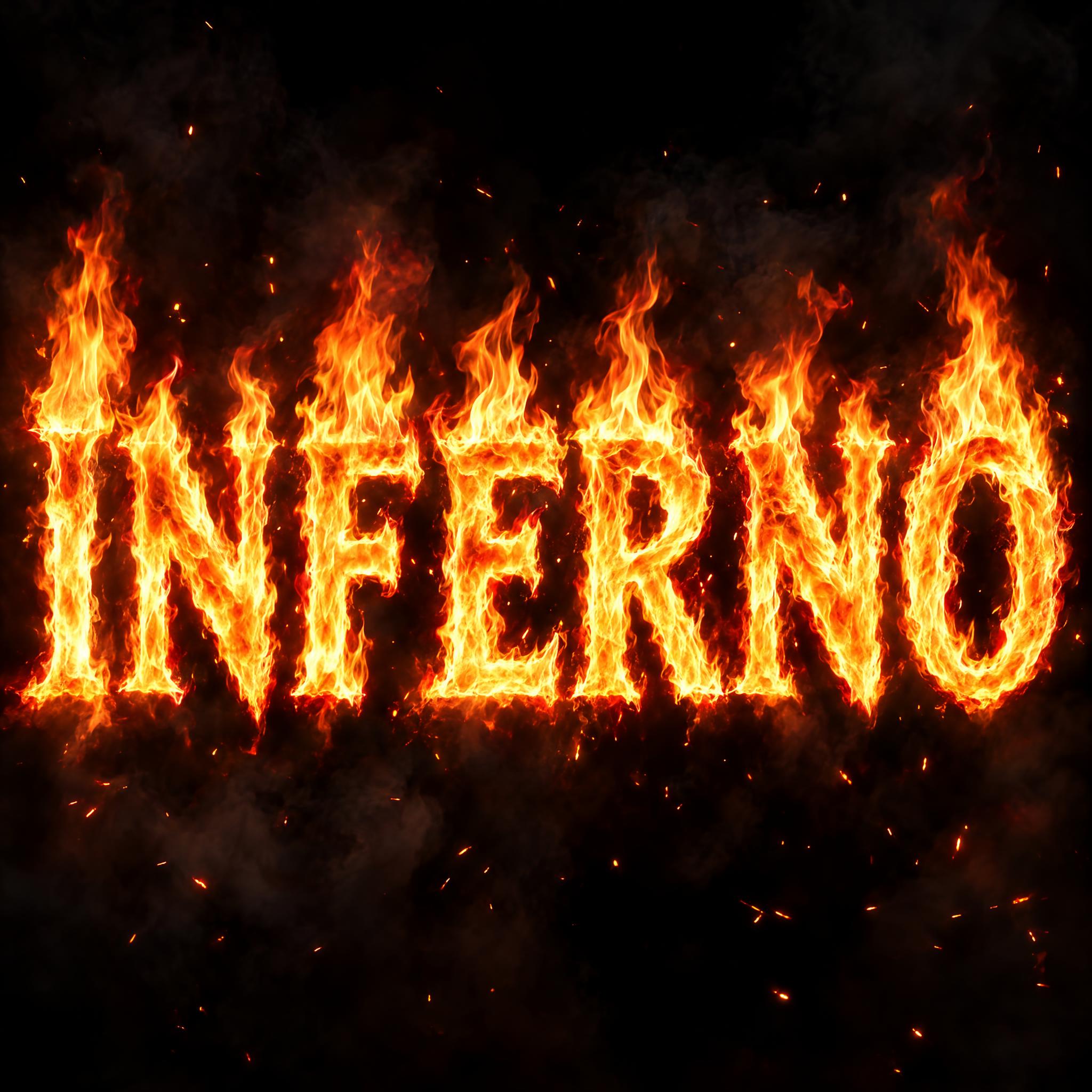
Bold capital letters made of real, photographic flames, white-hot yellow at the core and deep red at the flickering edges.
TextWrite the word "INFERNO". Spell it exactly as written, without adding or changing any letter.
Font designFire lettering: bold capital letters made entirely of real burning flames, each letter keeping a clear, solid shape that reads at a glance. Flames lick upward along every stroke, and thin wisps of fire rise from the top of each letter. The core of every stroke is white-hot yellow, shading outward to orange and deep red at the flickering edges. The flames look photographic, with soft, translucent tips and a bright glow around the letters. Like a burning title in a movie trailer.
SceneBurning against a black night sky, with a little drifting smoke and scattered sparks, with no other text; the word is centered, fills most of the width and reads clearly.
128 words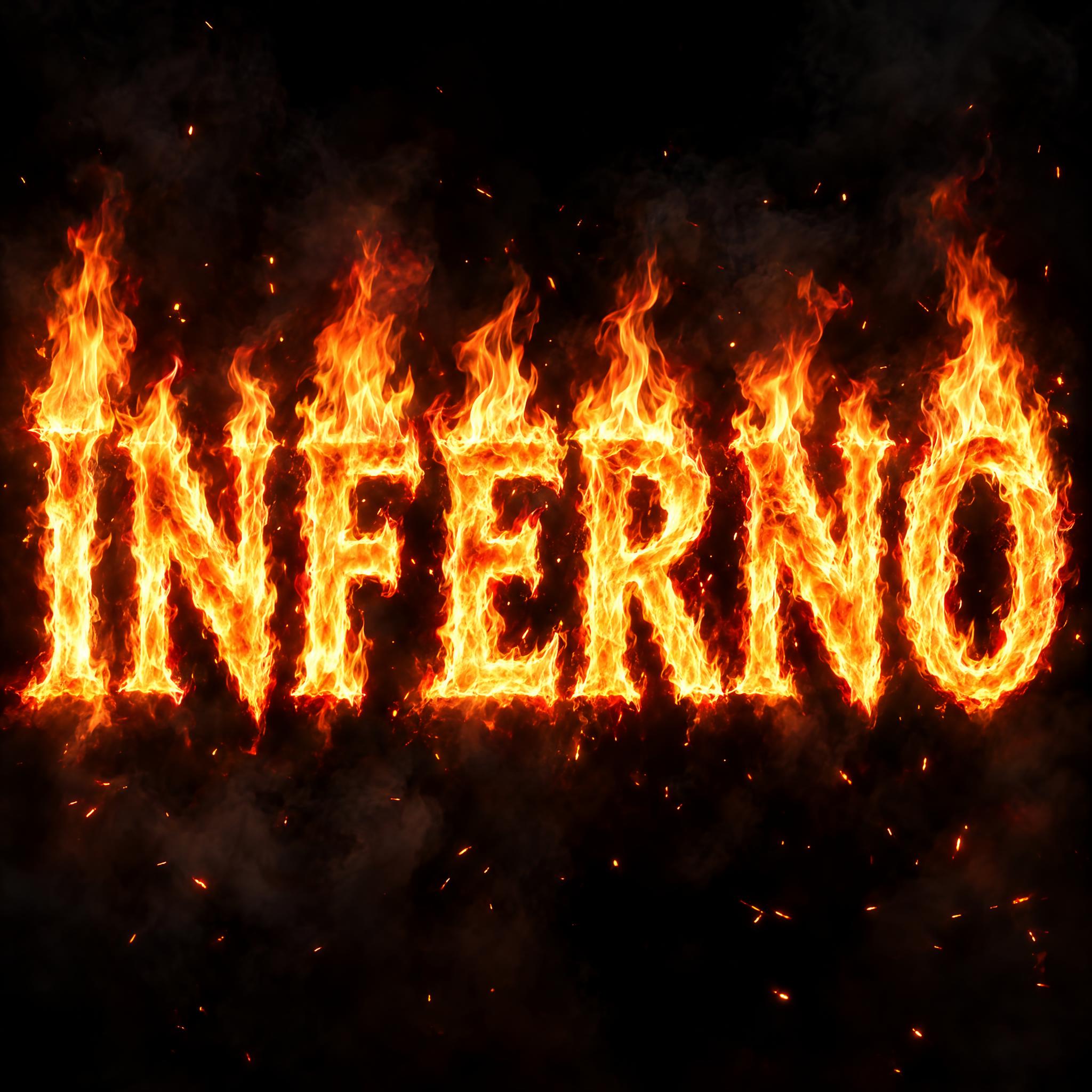
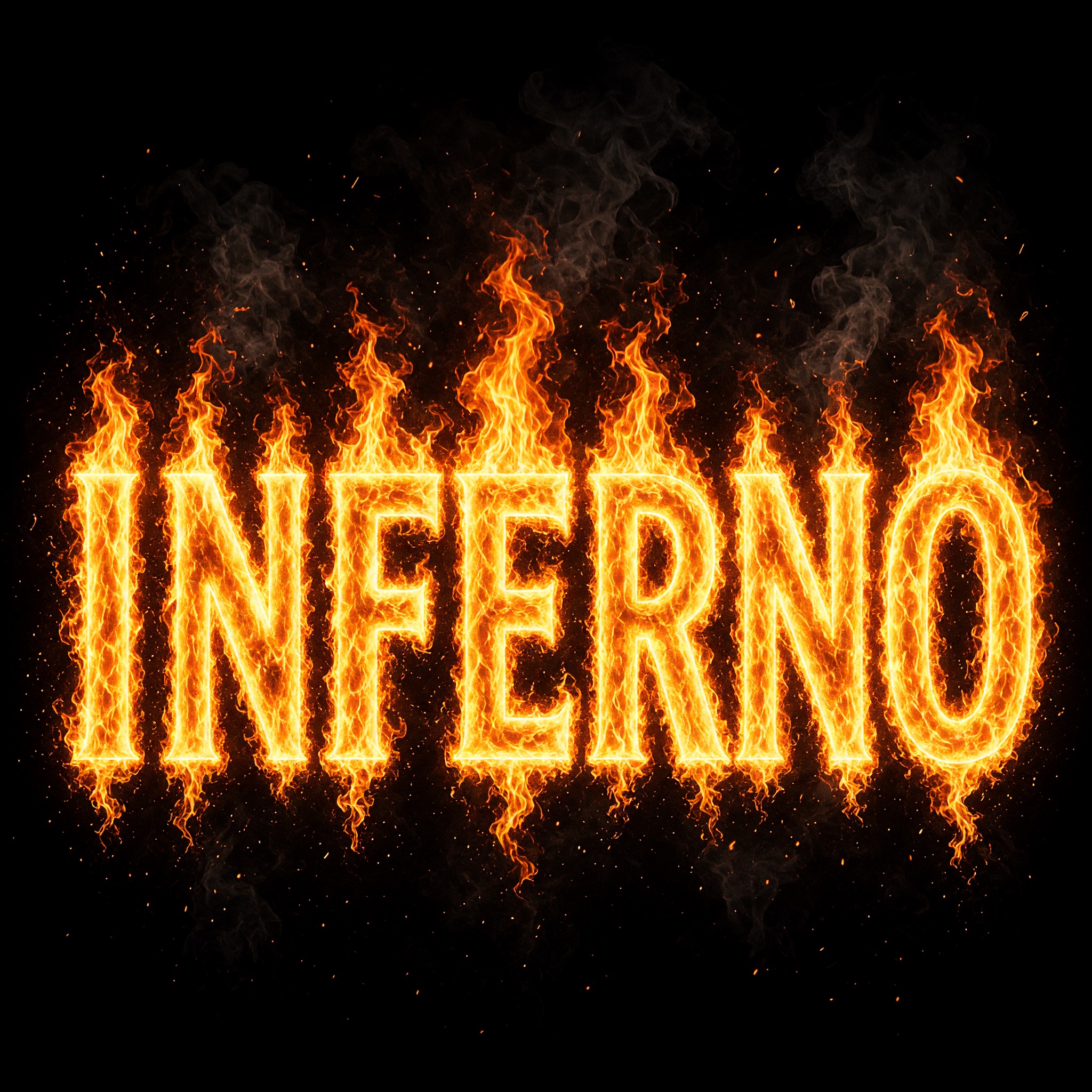
One prompt pasted into each image model as-is. These are the unedited results, so you can pick the model that suits you.
The wildest, most photographic flames: tall tongues above every letter, smoke and sparks across the frame.
Bright yellow edges outline each letter, and flames trail below the word as well as above.
Smooth, solid letters with the brightest white-hot core; the flames rise behind them rather than through them.
A smaller word with slimmer strokes and a soft orange glow, the calmest of the five.
Even orange flame texture through every stroke, with the tallest flames on the I and the O.
The button opens FontVibe in DIY mode with this prompt already in it, unchanged. Type your title or channel name, pick a model and generate. GPT Image, Nano Banana, Seedream, Grok and Qwen are all in one account, so you can see which one keeps your letters readable inside the fire without signing up to five apps. Every account gets free credits each month with no card needed, and you can export a transparent PNG to drop the burning title onto your thumbnail or poster.
Layers in the order the prompt states them. Change one layer and the rest keeps working.
Every AIFont prompt opens with the same text part. "Spell it exactly as written, without adding or changing any letter" matters here because flames add loose tongues of fire to every letter, and a model can read a tongue as an extra stroke and turn one letter into another.
"Fire lettering:" tells the model the letters themselves are the fire, not ordinary letters with a flame picture next to them.
"bold capital letters made entirely of real burning flames" is the heart of the prompt: the strokes are flame, not a solid shape with fire painted on. "each letter keeping a clear, solid shape that reads at a glance" is the counterweight. Without it, the fire takes over and the word turns into a bonfire you have to guess at.
"Flames lick upward along every stroke, and thin wisps of fire rise from the top of each letter." gives the fire a direction. Real fire climbs, so this is what makes the letters look like they are burning rather than glowing.
"The core of every stroke is white-hot yellow, shading outward to orange and deep red at the flickering edges." is the only colour line. The bright core is what keeps the letters readable: drop it and models paint dull red blobs. Change this sentence alone for blue or green fire.
"The flames look photographic, with soft, translucent tips and a bright glow around the letters." keeps every model away from flat clip-art fire. The see-through tips and the glow are what real flames look like on camera.
"Like a burning title in a movie trailer." gives every model the same picture: big, dramatic, lit only by its own fire.
"Burning against a black night sky, with a little drifting smoke and scattered sparks, with no other text" gives the fire a dark backdrop so it glows, and stops models from adding a tagline under the title the way trailers do. "the word is centered, fills most of the width and reads clearly" keeps the word the star. Swap this part for your own use.
Small edits that stay on-style. Change one thing at a time.
Type it in the box next to Prompt above and copy again. Short words in capitals burn best: a title, a channel name or one word like HOT or RAGE. Long words give each letter less room, and the flames start to blur them together.
Swap "The core of every stroke is white-hot yellow, shading outward to orange and deep red at the flickering edges." for "The core of every stroke is white-hot blue, shading outward to bright blue and deep violet at the flickering edges.", "The core of every stroke is white-hot green, shading outward to emerald and deep green at the flickering edges." or "The core of every stroke is white-hot pink, shading outward to magenta and deep purple at the flickering edges."
Replace "Flames lick upward along every stroke, and thin wisps of fire rise from the top of each letter." with "Low flames run along every stroke, hugging the letter shape." for longer words that need to stay readable, or with "Tall flames roar upward from every stroke, rising well above each letter." for a bigger blaze.
Replace "Burning against a black night sky, with a little drifting smoke and scattered sparks, with no other text" with "Burning on a plain black background, with no other text", "Burning on a dark, wet city street at night, with no other text" or "Burning in front of a dark concert stage filled with haze, with no other text".
The prompt sets no frame size. Pick the ratio in your app, or add "Wide 16:9 image." or "Tall 4:5 image." at the end. A YouTube thumbnail or a title card suits 16:9; a poster suits 4:5.
AI fonts that share the most tags with Fire Text.
 Premium
 Premium
AI fonts for a second line, a logo lock-up or a poster footer.
Fire Text writes your word in real fire: bold capital letters made entirely of burning flames, each one still holding a clear, solid shape. Flames lick up along every stroke and thin wisps rise off the top of each letter. The core of every stroke burns white-hot yellow and shades out to orange and deep red at the edges, with soft, see-through flame tips and a bright glow, like a burning title in a movie trailer.
Type your word in the box above the prompt, copy it and paste it into ChatGPT, Gemini, Grok, Qwen or Seedream. The prompt has three parts: the text, the font design and the scene. The font design makes the letters out of fire and sets the white-hot core and the photographic flames; the scene sets the word burning against a black night sky with a little smoke and a few sparks, and you can swap it for your own. Every image on this page is what each model returned from the unchanged prompt, with no retouching.
Use it for movie and trailer titles, YouTube thumbnails and gaming channel art, metal album covers and gig posters, and any headline that should look like it is on fire.
Details from the original render. Every one of them is named in the prompt.
Every stroke is made of real burning flame.
Flames lick upward along every stroke.
Yellow-white at the centre, orange to deep red at the edges.
Soft, see-through flame tips and a bright glow around the letters.
Pulled from the render. Handy when you build the rest of the design around the word.
Where this AI font earns its keep.
Fire text started as a screen effect, not a typeface. Long before computers could draw flames, John Carpenter's The Thing (1982) opened with a title that seems to burn its way onto a black screen. Visual effects designer Peter Kuran drew the letters on an animation cel, put stretched plastic and a light behind them inside a smoke-filled tank, and held a match to the plastic: as it opened, light came through in the shape of the letters. He has said it took a lot of takes.
On the early web the same wish became a one-click graphic. Online generators let anyone type a word and download it as a ready-made logo or banner; FlamingText, which its founder Cameron Gregory says he started with a friend in the early days of the web, carries the idea in its name. Then came the Photoshop tutorials. A typical recipe, like Steve Patterson's on Photoshop Essentials, sets white text on black, turns the image on its side so the Wind filter can streak the letters, then pushes the streaks into flames with Liquify and colours them. In October 2014 Photoshop added a Flames filter that draws realistic flames along a path.
This prompt follows that photographic line rather than the flat cartoon one: the letters are the fire, with a white-hot core and red edges, lit only by themselves. For flat cartoon flames with a black outline, see Flame Font.
Sources: Art of the Title — The Thing · FlamingText — About Us · Photoshop Essentials — Create Flaming Hot Fire Text in Photoshop · Julieanne Kost's Blog — Creating Flames in Photoshop
Peter Kuran makes the title of John Carpenter's film burn onto the screen with a match, stretched plastic and a tank of smoke.
Photoshop adds Filter > Render > Flames, which draws realistic flames along a path.
In English all five models wrote INFERNO correctly, every letter made of flame. GPT Image gives the wildest, most photographic flames; Nano Banana the brightest white-hot core, though its letters look more like solid glowing shapes with the fire rising behind them; Grok outlines each letter with a bright yellow edge; Seedream is the calmest, with a smaller word. In other languages, Arabic was the hard one: Qwen wrote حليم instead of جحيم, and Seedream turned a flame tip into an extra dot, both on two tries. Compare them side by side above.
No. It is a prompt that makes a picture of your word burning in real fire with an AI image model. There is no font file, and no font file can do this: the fire is painted into the image. This page is for when you want the finished burning title as a picture.
Flame Font is flat and cartoon-like: solid letters with curly flame tongues on top, smooth colour bands and a thick black outline, like a sticker. This one is photographic: the whole letter is made of real fire, with a white-hot core and a glow. Use Flame Font for T-shirts and decals, and this one for titles and thumbnails.
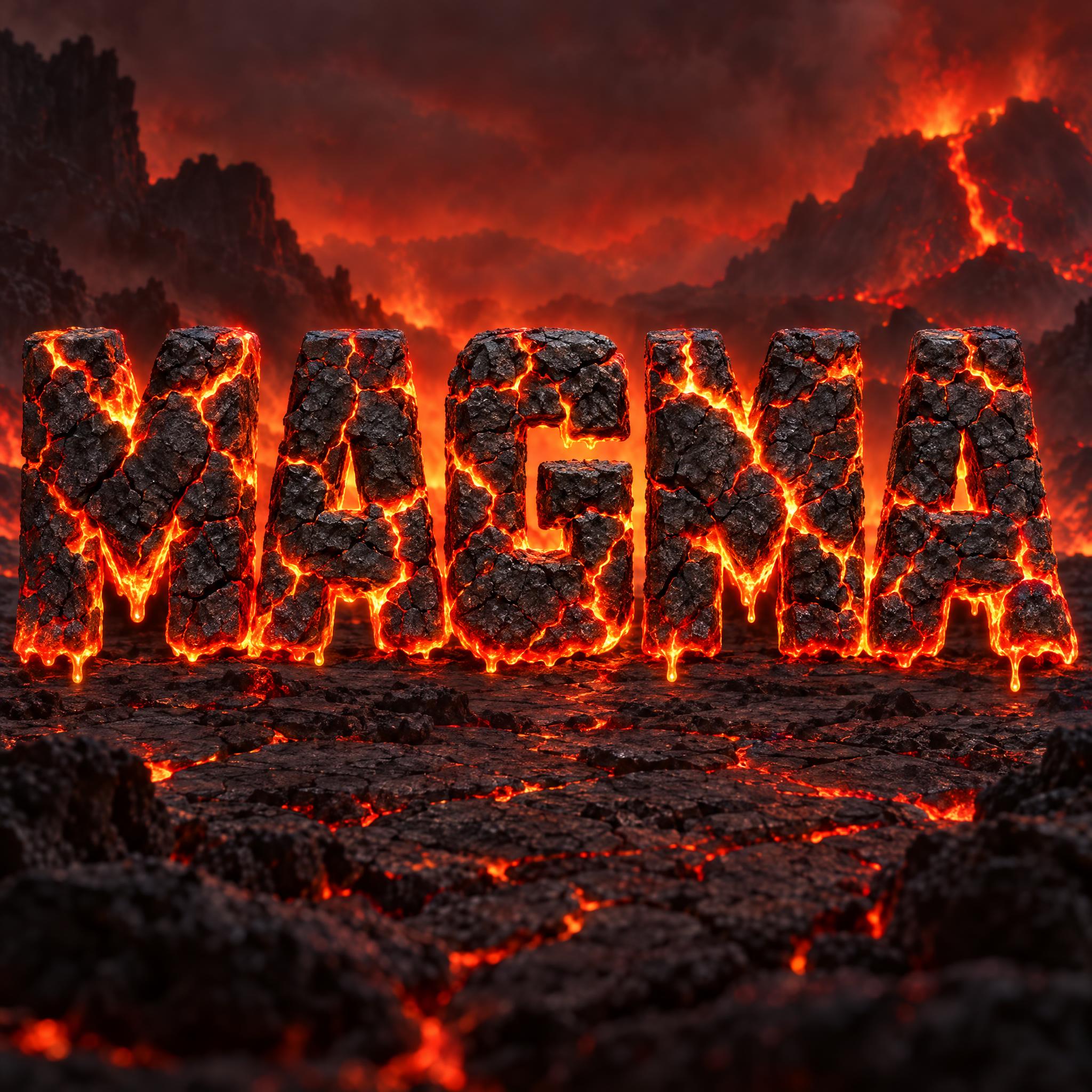
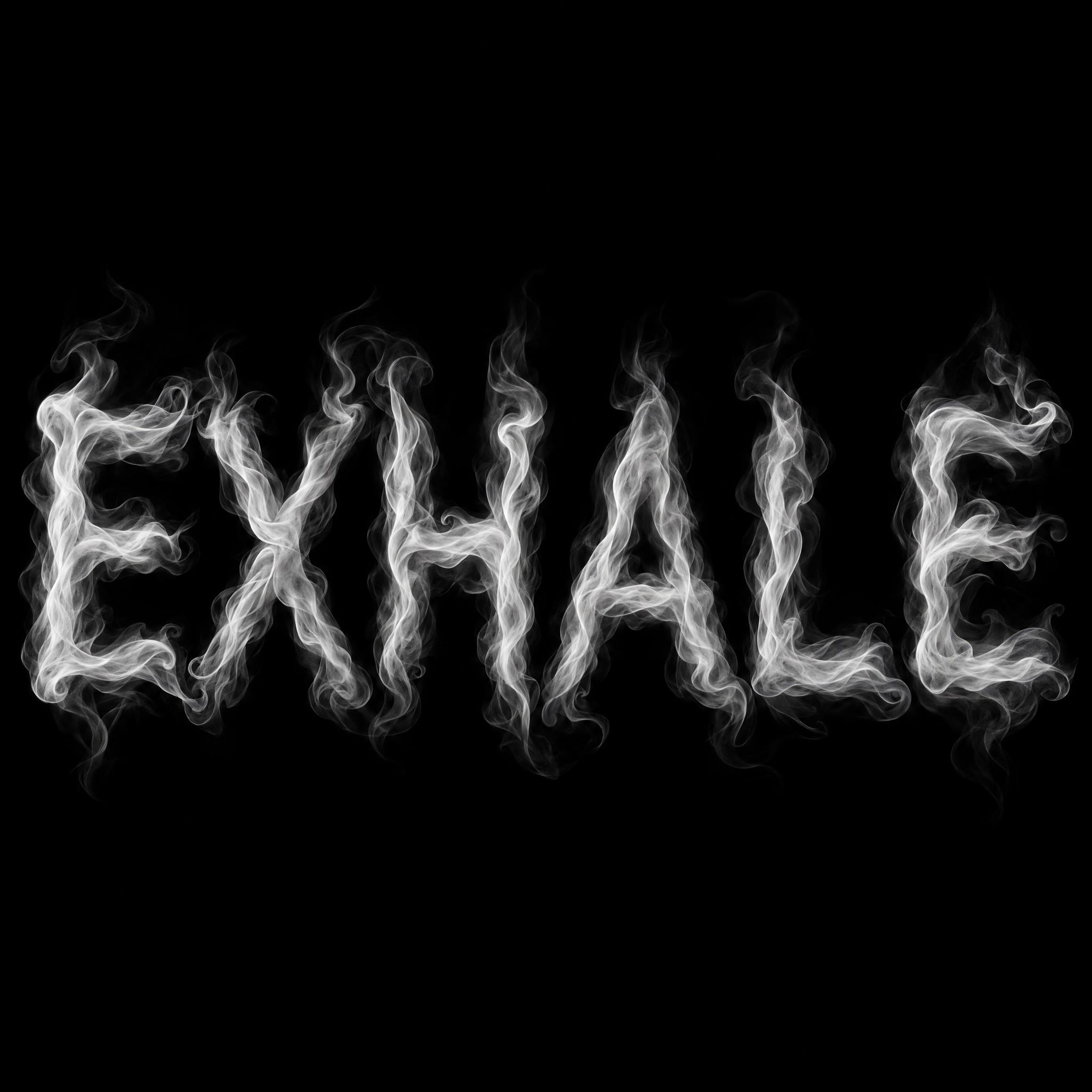
It is one kind of fire font: the realistic, burning kind. The fire font page also has flat cartoon flames, hot rod flames, glowing lava rock and letters made of smoke.
Type it in the box next to the prompt and copy the full prompt again. Short words keep each letter big enough to read through the flames.
Change only "The core of every stroke is white-hot yellow, shading outward to orange and deep red at the flickering edges.", for example to "The core of every stroke is white-hot blue, shading outward to bright blue and deep violet at the flickering edges."
Pick the ratio in your app if it has one. If not, add "Wide 16:9 image." or "Tall 4:5 image." at the end of the prompt.
Fire is hard to cut out, because its tips are see-through. Replace the scene with "Burning on a plain black background, with no other text", then put the image over your design in any editor with the Screen blend mode: the black drops away and the flames stay. Or use the FontVibe button above: it can export a transparent PNG.
Copying the prompt is free. Whether the image costs anything depends on the app you paste it into, and what you may do with the image depends on that app's terms.