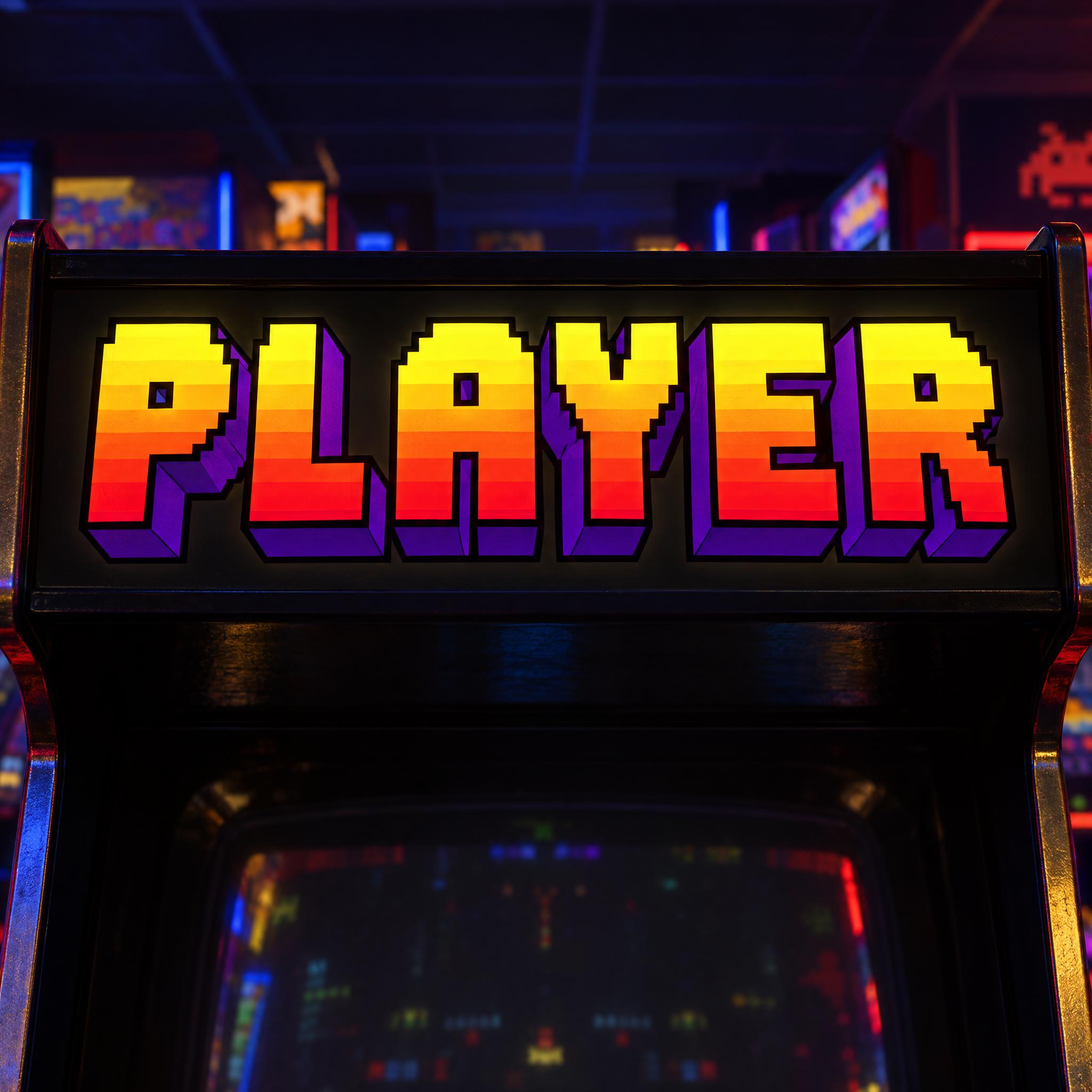
Chunky pixel-edged capitals extruded into deep 3D blocks, banded from yellow through orange to red, with purple sides and a thick black outline.
TextWrite the word "PLAYER". Spell it exactly as written, without adding or changing any letter.
Font designArcade title lettering: chunky capital letters with stepped, pixel-cut edges, every letter reads at a glance. Each letter is extruded backward into a deep solid block, so the word stands out in 3D. The face of every letter is filled with horizontal bands running from bright yellow at the top through orange to hot red at the bottom, and the extruded sides are deep purple. A thick black outline runs around every letter. Like the title logo on a 1980s arcade cabinet.
ScenePrinted on the glowing marquee at the top of an arcade cabinet in a dark arcade, with no other text; the word is centered, fills most of the width and reads clearly.
129 words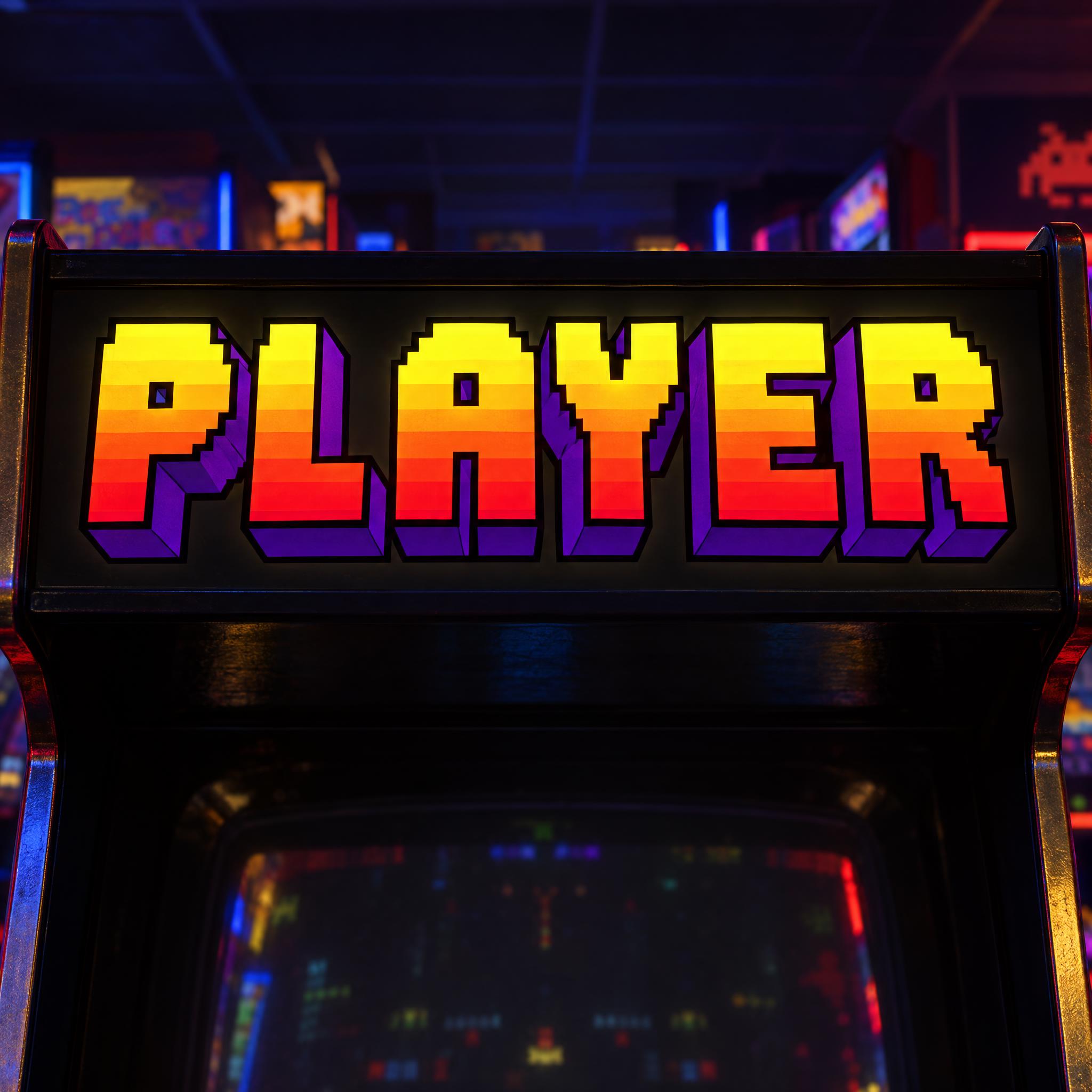
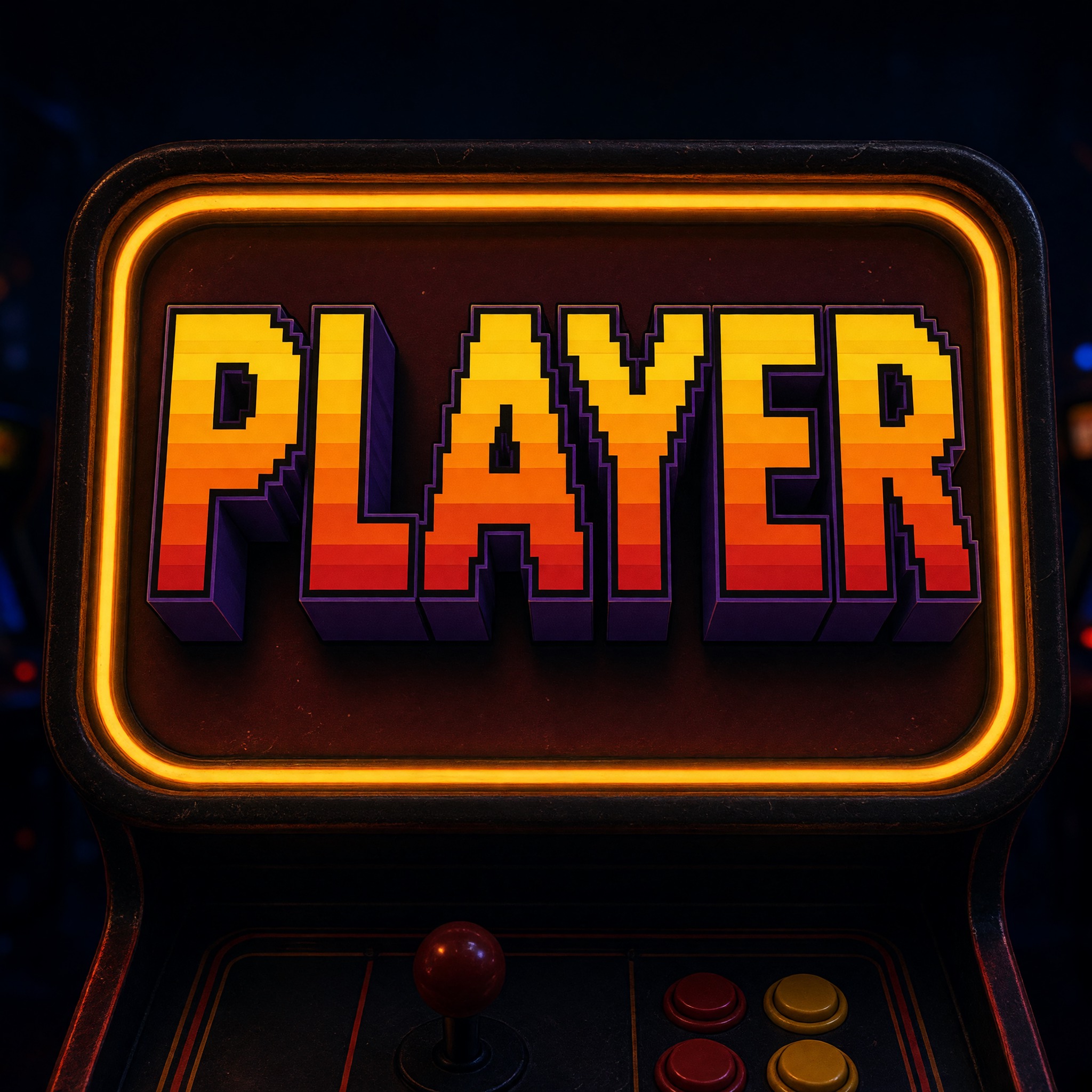
One prompt pasted into each image model as-is. These are the unedited results, so you can pick the model that suits you.
Crisp pixel steps and clean colour bands on a bright backlit marquee, with an arcade glowing behind.
A warm amber-lit panel with a glowing frame and a deep extrusion.
The deepest purple extrusion, inside a white glowing marquee box.
A blue-lit panel; softer, more pastel bands and a shorter extrusion.
The biggest letters with the finest bands, on a dark cabinet marquee.
The button opens FontVibe in DIY mode with this prompt already in it, unchanged. Type your gamer tag or channel name, pick a model and generate. GPT Image, Nano Banana, Seedream, Grok and Qwen are all in one account, so you can see which one gives your word the deepest 3D and the cleanest colour bands without signing up to five apps. Every account gets free credits each month with no card needed, and you can export a transparent PNG to drop the title onto your banner, overlay or shirt.
Layers in the order the prompt states them. Change one layer and the rest keeps working.
Every AIFont prompt opens with the same text part. "Spell it exactly as written, without adding or changing any letter" matters here because arcade screens are full of words in a model's memory: without it, models like to add INSERT COIN, 1UP or a high score.
"Arcade title lettering:" points the model at the big logo on the cabinet, not at the small flat text inside the game. That one phrase is what separates this look from a plain pixel font.
"chunky capital letters with stepped, pixel-cut edges, every letter reads at a glance" gives the letters their video game shape: heavy, with small stair steps along the curves and diagonals, but still easy to read from across a room.
"Each letter is extruded backward into a deep solid block, so the word stands out in 3D" is what turns flat pixel text into a title logo. Writing it as a fact, extruded backward into a block, gives every model the same depth to draw.
"The face of every letter is filled with horizontal bands running from bright yellow at the top through orange to hot red at the bottom, and the extruded sides are deep purple." is the colour sentence, and here the colour is part of the identity: hard-edged horizontal bands, not a smooth airbrush blend, are what read as arcade. You can swap the colours, but keep the banded pattern.
"A thick black outline runs around every letter." keeps the bright bands and the purple sides from melting into each other, and makes the word pop off any background.
"Like the title logo on a 1980s arcade cabinet." gives every model the same reference picture: the big printed title at the top of the machine.
"Printed on the glowing marquee at the top of an arcade cabinet in a dark arcade, with no other text" puts the word where arcade titles lived, a backlit sign above the screen, and blocks the scores and coin prompts models like to add; "the word is centered, fills most of the width and reads clearly" keeps the word the star. Swap this part for your own use.
Small edits that stay on-style. Change one thing at a time.
Type it in the box next to Prompt above and copy again. A gamer tag, a channel name, LEVEL UP or a friend's name all work; one or two short words keep the letters chunky.
Swap the colour sentence for "The face of every letter is filled with horizontal bands running from white at the top through cyan to deep blue at the bottom, and the extruded sides are magenta." or "The face of every letter is filled with horizontal bands running from lime at the top through green to dark teal at the bottom, and the extruded sides are black." Keep the bands; a single flat colour loses the arcade feel.
Replace "chunky capital letters with stepped, pixel-cut edges" with "chunky capital letters with smooth, rounded edges" for a 1990s console logo, or with "chunky capital letters built from large visible square pixels" for a lower-resolution, more 8-bit title.
Replace "Printed on the glowing marquee at the top of an arcade cabinet in a dark arcade, with no other text" with "Floating over a dark starfield on a game title screen, with no other text", "Printed on a black T-shirt laid flat, with no other text" or "On a neon-lit wall above a row of gaming PCs, with no other text".
The prompt sets no frame size. Pick the ratio in your app, or add "Wide 16:9 image." or "Tall 4:5 image." at the end. For a YouTube or Twitch banner, 16:9 is the one you want.
AI fonts that share the most tags with Video Game Font.
 Premium
AI fonts for a second line, a logo lock-up or a poster footer.
Video Game Font draws your word like the title logo on a 1980s arcade cabinet: chunky capital letters with stepped, pixel-cut edges, each one pushed back into a deep solid 3D block. The face of every letter is filled with horizontal bands running from bright yellow at the top through orange to hot red at the bottom, the extruded sides are deep purple, and a thick black outline holds it all together.
Type your word in the box above the prompt, copy it and paste it into ChatGPT, Gemini, Grok, Qwen or Seedream. The prompt has three parts: the text, the font design and the scene. The font design makes the letters, the 3D depth and the banded colours; the scene puts the word on the glowing marquee of an arcade cabinet, and you can swap it for your own. Every image on this page is what each model returned from the unchanged prompt, with no retouching.
Use it for gaming channel banners and thumbnails, retro game night and birthday party posters, esports and LAN party graphics, game jam logos, and T-shirts with a gamer tag on them.
Details from the original render. Every one of them is named in the prompt.
Hard-edged horizontal bands from yellow through orange to red.
Each letter pushed back into a deep solid block with purple sides.
Chunky capitals with small stair steps along curves and diagonals.
A thick black outline around every letter.
Pulled from the render. Handy when you build the rest of the design around the word.
The golden age of arcade games ran from the late 1970s into the early 1980s. It is usually dated from Taito's Space Invaders in 1978, peaked with games such as Namco's Pac-Man in 1980, and was in decline by 1983. At its height, around 1982, North America had an estimated 24,000 arcades and 1.5 million machines, and every one of them was competing for the same coins.
That competition is why the cabinets were dressed up. Pong in 1972 came in a plain wood-veneer box, but by about 1973 to 1974 Atari was adding cabinet art, and painted sides and decals soon became standard. At the top of an upright cabinet sat the marquee: a sign above the monitor showing the game's title, often brightly coloured and backlit so it could be seen across a dark room.
The marquee was printed artwork, not a screen, so the titles on it could be bigger, bolder and more three-dimensional than anything the game itself could draw. Many leaned on what players knew from the screen, pixel steps and hard bands of colour, and added depth and heavy outlines to make them read from a distance. This prompt copies no particular game's logo. It asks for those shared parts: pixel-edged capitals, a deep extrusion, banded colour and a thick outline.
Sources: Wikipedia — Golden age of arcade video games · Wikipedia — Arcade cabinet
Atari starts adding cabinet art and attraction panels; decorated cabinets soon become the norm.
Taito's game is often credited with starting the golden age of arcade video games.
Namco's game becomes a sensation and starts "Pac-Mania".
North America has an estimated 24,000 arcades and 1.5 million arcade machines.
In English all five models wrote PLAYER correctly and all three parts came through: the 3D extrusion, the yellow-to-red bands and the black outline. GPT Image and Qwen give the crispest pixel steps; Nano Banana the deepest purple sides; Seedream softer, more pastel bands. Across all seven languages every model kept the look; the only spelling trouble was in Arabic, where Grok first put a dot on the ط and got it right on the second try. Compare them side by side above.
No. It is a prompt that makes a picture of your word as an arcade title logo with an AI image model. There is no font file to install and no characters to paste into a game name. If you need small pixel text for a game's menus, look for a pixel font file; this page is for when you want the big, finished title as an image.
Pixel Font is flat, one-colour letters built from square blocks, like the text inside an 8-bit game. This one is the big title logo on the outside of the machine: extruded into 3D, filled with colour bands and outlined in black. Use Pixel Font for in-game text and menus, and this one for titles, banners and logos.
Yes. People search for it as video game font, game font or arcade font, and mean the same thing: the bold, colourful title on a classic arcade machine.
Type it in the box next to the prompt and copy the full prompt again. One or two short words work best; a long name makes every letter thinner and the 3D depth harder to see.
Change only the colour sentence that starts with "The face of every letter is filled with horizontal bands", and keep the bands: for example "The face of every letter is filled with horizontal bands running from white at the top through cyan to deep blue at the bottom, and the extruded sides are magenta."
Pick the ratio in your app if it has one. If not, add "Wide 16:9 image." or "Tall 4:5 image." at the end of the prompt.
Replace the scene with a plain one, for example "The word is on a plain white background.", and remove the background in any editor. Or use the FontVibe button above: it can export a transparent PNG.
Copying the prompt is free. Whether the image costs anything depends on the app you paste it into, and what you may do with the image depends on that app's terms.