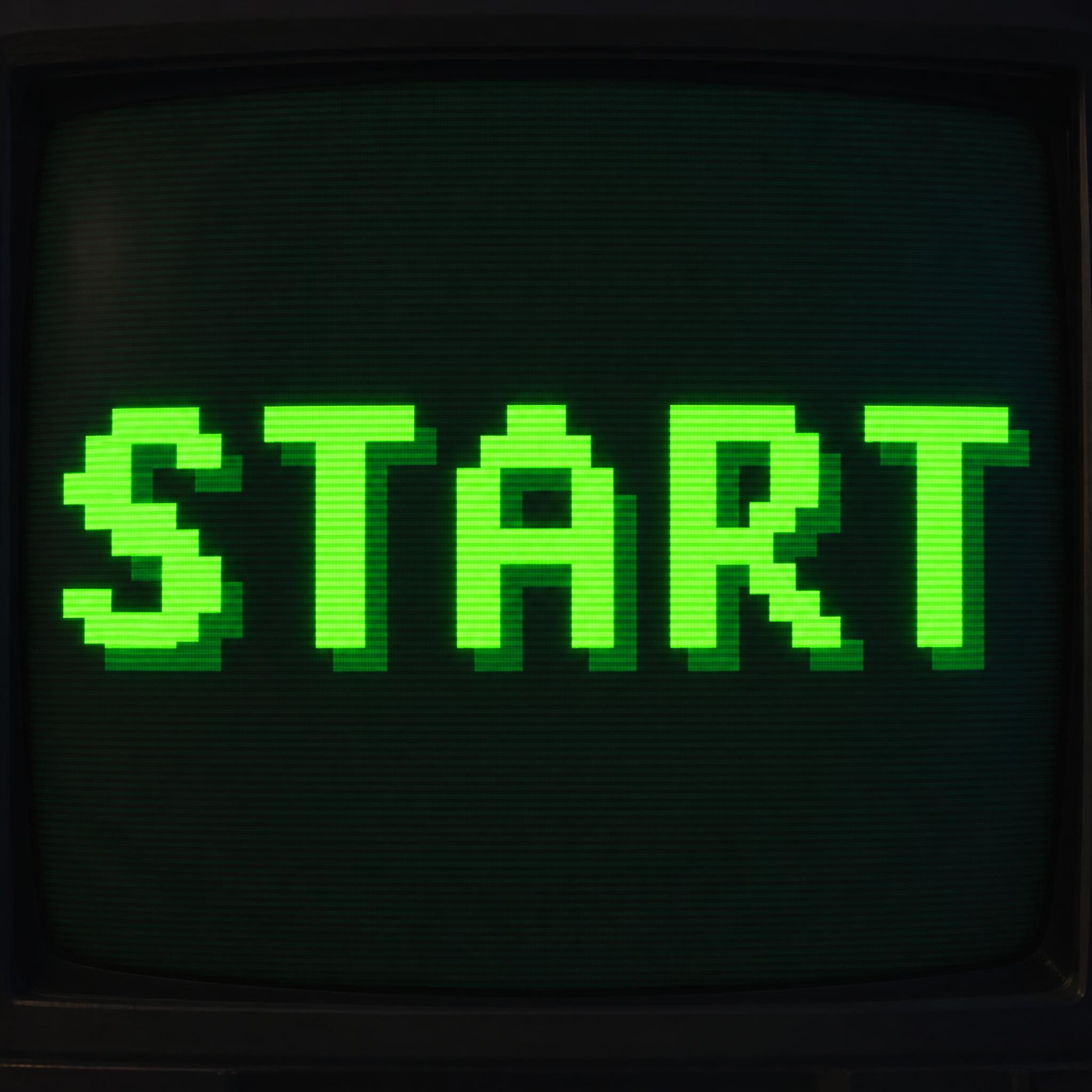
Capital letters built only from square blocks on a coarse grid, one block thick, with stair-stepped edges, in bright lime green with a darker block shadow.
TextWrite the word "START". Spell it exactly as written, without adding or changing any letter.
Font designPixel lettering: capital letters built entirely from square blocks on a coarse grid, every stroke exactly one block thick, with stair-stepped diagonals and curves and no smooth or blurred edges. Letters are evenly spaced and every one reads at a glance. Every block is bright lime green. Each letter has a darker green shadow one block wide along its bottom and right edges. Like the title text of a classic 8-bit console game.
SceneThe word glows on a dark CRT game screen in a dim room, with faint scanlines. The word is centered, spans most of the width and reads clearly.
116 words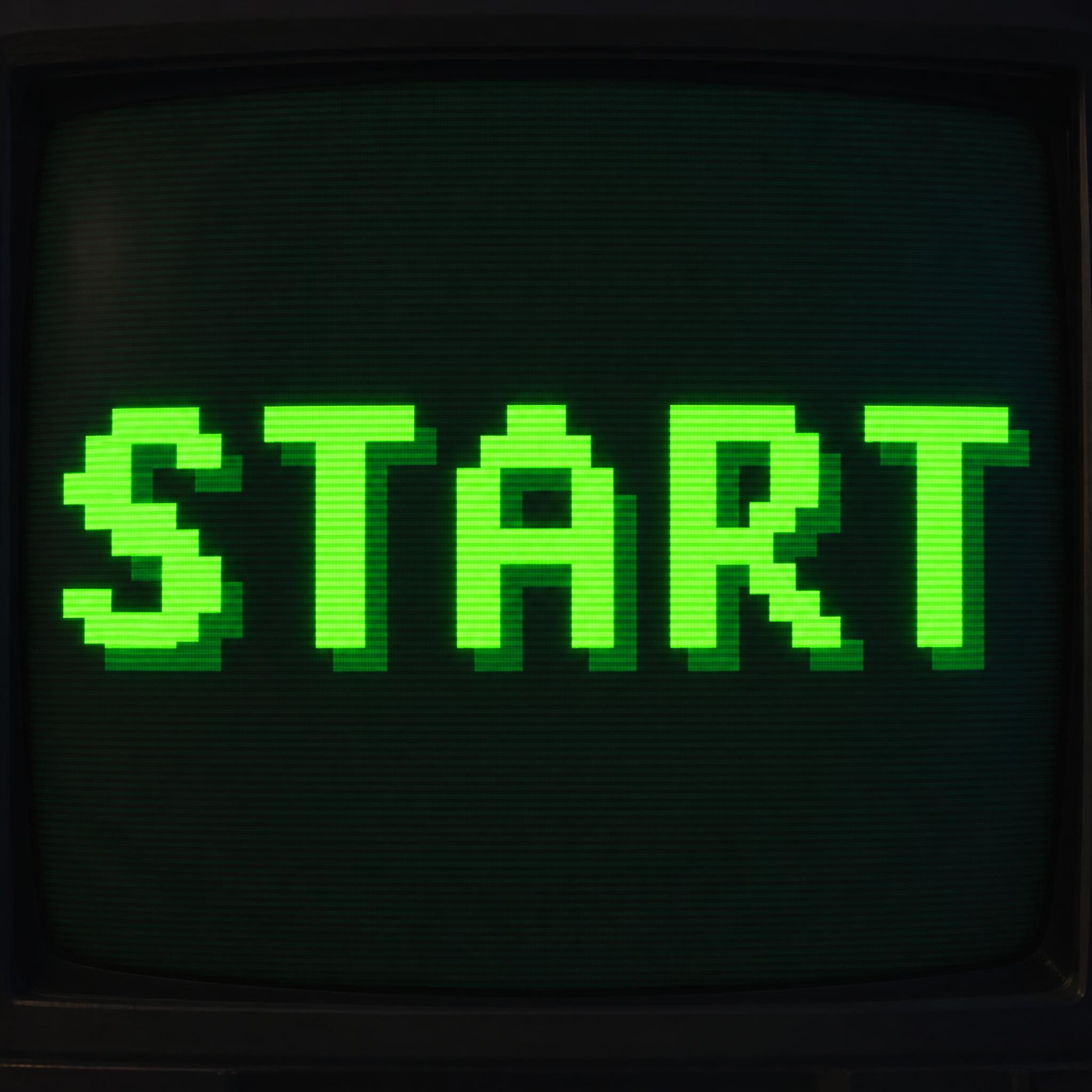
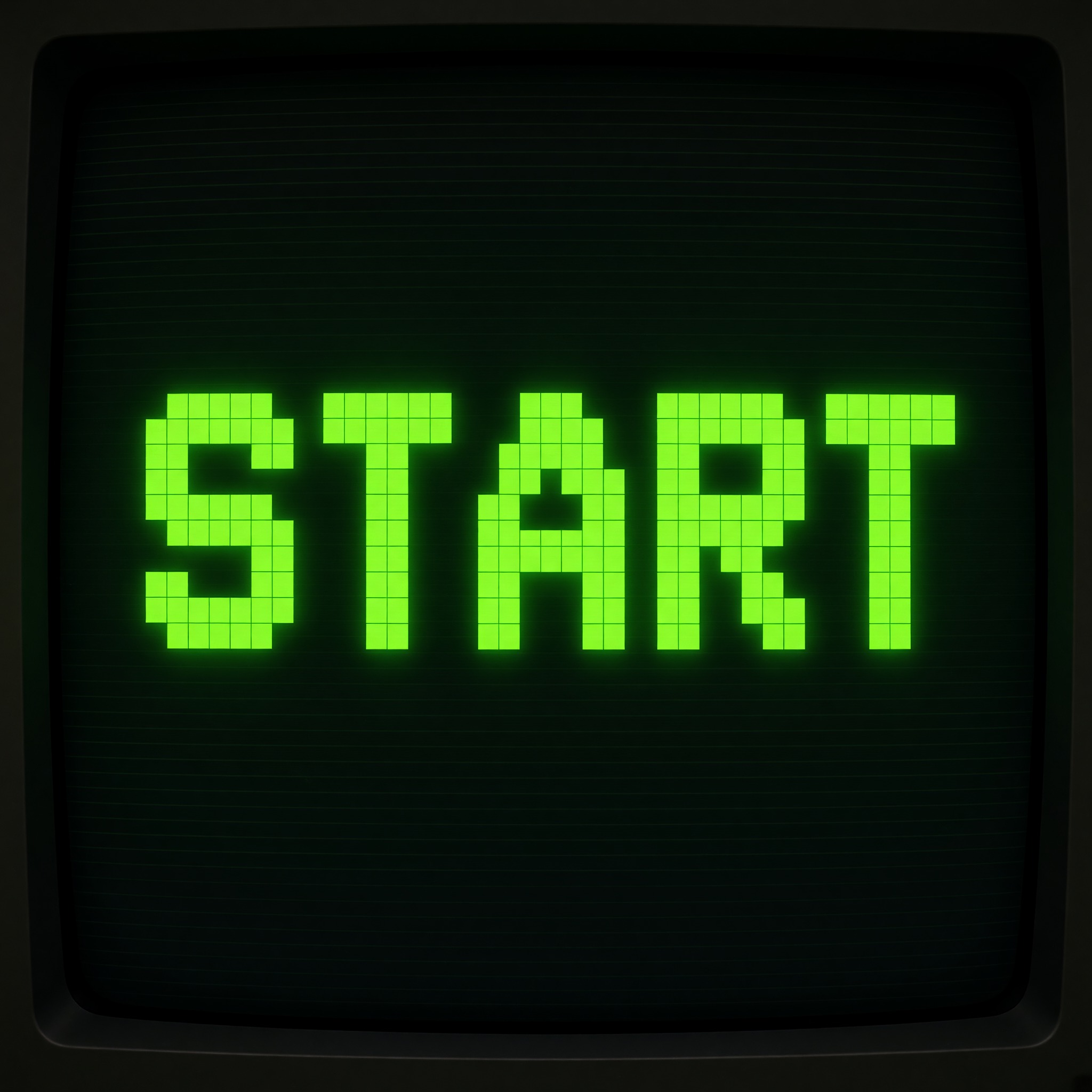
One prompt pasted into each image model as-is. These are the unedited results, so you can pick the model that suits you.
Bright lime blocks with a dark green shadow, on a glowing CRT screen with visible scanlines.
A tight crop on the screen; lime blocks with little or no shadow.
The whole TV set in frame; paler mint-green blocks with a soft, faint shadow.
Pale green blocks with fine grid lines showing inside them; the shadow is weak and the screen glow dim.
The brightest lime and the strongest shadow; the screen fills the frame with little of the TV set.
The button opens FontVibe in DIY mode with this prompt already in it, unchanged. Type your word, pick a model and generate. GPT Image, Nano Banana, Seedream, Grok and Qwen are all in one account, so you can see which one keeps the blocks square and the letters readable without signing up to five apps. Every account gets free credits each month with no card needed, and you can export a transparent PNG to drop the pixel word onto your own title screen, thumbnail or sticker.
Layers in the order the prompt states them. Change one layer and the rest keeps working.
Every AIFont prompt opens with the same text part. "Spell it exactly as written, without adding or changing any letter" comes first because blocky letters are easy to misread: without it a model can swap a block-built S for a 5 or add a second line of made-up game text.
"Pixel lettering:" names the style up front, so the model reaches for game-screen type rather than a regular bold sans with a pixel texture on top.
"capital letters built entirely from square blocks on a coarse grid, every stroke exactly one block thick, with stair-stepped diagonals and curves and no smooth or blurred edges" is the shape. A bitmap font stores each letter as a grid of pixels, so a curve can only be approximated by steps; asking for steps, and for one block of thickness everywhere, is what keeps the letters from turning into smooth type with a blur filter. The one negative is here because smoothing is the first thing models do wrong.
"Letters are evenly spaced and every one reads at a glance." keeps the word legible. On a coarse grid a letter has only a few blocks to work with, and an S or an R can collapse into a blob if the gaps are uneven.
"Every block is bright lime green." is the only main colour line, so it is easy to change on its own: amber, white or hot pink blocks all still read as pixel type.
"Each letter has a darker green shadow one block wide along its bottom and right edges." gives the letters the extruded edge of a game title. It is measured in blocks, not in a soft blur, so the shadow stays pixel-sharp too.
"Like the title text of a classic 8-bit console game." gives every model the same picture to aim for: a title on a console screen, not a modern game logo.
"The word glows on a dark CRT game screen in a dim room, with faint scanlines." puts the word where pixel type lives, and "The word is centered, spans most of the width and reads clearly." keeps the word the star even with the TV in frame. Swap this part for your own use.
Small edits that stay on-style. Change one thing at a time.
Type it in the box next to Prompt above and copy again. One short word works best; a long phrase makes every letter smaller and the blocks harder to read.
Swap "Every block is bright lime green." for "Every block is bright amber.", "Every block is white." or "Every block is hot pink." If you change the colour, change the shadow line to a darker shade of the same colour.
Replace "Each letter has a darker green shadow one block wide along its bottom and right edges." with "Each letter has a black outline one block wide around it." or "Each letter has a bright white highlight one block wide along its top edge." or drop the sentence for flat letters.
Replace "The word glows on a dark CRT game screen in a dim room, with faint scanlines." with "The word glows on the small screen of a handheld game console.", "The word glows on the marquee of an arcade cabinet." or "The word glows on a plain black screen full of tiny stars."
The prompt sets no frame size. Pick the ratio in your app, or add "Wide 16:9 image." or "Tall 4:5 image." at the end.
AI fonts that share the most tags with Pixel Font.
 Premium
 Premium
 Premium
AI fonts for a second line, a logo lock-up or a poster footer.
Pixel Font draws your word as 8-bit game lettering: capital letters built entirely from square blocks on a coarse grid, every stroke exactly one block thick, with diagonals and curves that step like stairs and no smooth or blurred edges. The blocks are bright lime green, and each letter carries a darker green shadow one block wide along its bottom and right edges.
Type your word in the box above the prompt, copy it and paste it into ChatGPT, Gemini, Grok, Qwen or Seedream. The prompt has three parts: the text, the font design and the scene. The font design makes the blocky letters and the colour; the scene puts the word on a dark CRT game screen, and you can swap it for your own. Every image on this page is what each model returned from the unchanged prompt, with no retouching.
Use it for game titles and title screens, stream overlays and channel art, posters, stickers and merch for retro-gaming fans, and mock-ups of game menus. For the chrome-and-neon look of the next decade, try 80s Font.
Details from the original render. Every one of them is named in the prompt.
Every letter is built from square blocks on a coarse grid.
Every stroke is exactly one block wide.
Diagonals and curves step like stairs, with no smoothing.
A darker one-block shadow along the bottom and right edges.
Pulled from the render. Handy when you build the rest of the design around the word.
Where this AI font earns its keep.
A bitmap font stores each letter as a grid of pixels; at very small sizes it is also called a pixel font. Early computers displayed text this way: in a text mode the screen is divided into character cells, the common cell is 8 by 8 pixels, and each glyph is kept as a pattern of bits, often in read-only memory. A curve on a grid of that size can only be drawn as steps, which is where the staircase look comes from, and scaling such a font to another size with nearest-neighbour resampling gives rough, jagged edges.
Game pixel art grew out of the arcade era, with Space Invaders in 1978 and Pac-Man in 1980. Display limits drove the look: the Game Boy had a 160 by 144 screen with four colours, and the Commodore 64 a 320 by 200 screen with 16. The term "pixel art" was first published in 1982, in a letter by Adele Goldberg and Robert Flegal of Xerox PARC.
Space Invaders is also a nice reminder that colour was often an afterthought: Taito's arcade game was black and white on screen, and orange and green cellophane strips gave it colour. This prompt copies no particular game or typeface. It asks for what makes type look like pixels: square blocks, one block of thickness and stair-stepped edges.
Sources: Wikipedia — Computer font · Wikipedia — Text mode · Wikipedia — Pixel art · Wikipedia — Space Invaders
Richard Shoup's SuperPaint system is cited as an early example of pixel art, a decade before the term existed.
Taito's arcade game, designed by Tomohiro Nishikado, is released in Japan in July.
Pac-Man joins Space Invaders as a golden-age arcade game that shaped pixel art.
Adele Goldberg and Robert Flegal of Xerox PARC publish the term in a letter to a journal.
In English all five models wrote START correctly. GPT Image and Qwen give the brightest lime blocks with a clear dark shadow; Nano Banana and Seedream drift to a paler mint green, and Grok drops the shadow. In the other languages Qwen's first try in Japanese wrote は for け and was right on the second, and Seedream's first try in Arabic scrambled the letters (قعبل) and was right on the second. In Arabic the dot under the ب in Qwen's image is hard to see and waits for a native reader. Compare them side by side above.
No. It is a prompt that makes a picture of your word in pixel lettering with an AI image model, so there is nothing to install and you cannot type with it in a word processor. If you need to type text in a real bitmap font, search for a pixel font file instead; this page is for when you want the word drawn as a finished picture.
It asks for the chunky look of 8-bit game lettering, but a model is not counting bits or checking a palette, so treat the result as 8-bit style, not a hardware-accurate screenshot. The grid size is part of the letter shape, so a clearly finer grid is a different, more 16-bit look and is better written as a prompt of its own.
Type it in the box next to the prompt and copy the full prompt again. Short words work best; check that the model did not add a second line of text.
Change only "Every block is bright lime green.", for example to "Every block is bright amber." Then make the shadow sentence a darker shade of the same colour so the two still match.
Pick the ratio in your app if it has one. If not, add "Wide 16:9 image." or "Tall 4:5 image." at the end of the prompt.
Replace the scene with a plain one, for example "The word is on a plain black background.", and remove the background in any editor. Or use the FontVibe button above: it can export a transparent PNG.
Copying the prompt is free. Whether the image costs anything depends on the app you paste it into, and what you may do with the image depends on that app's terms.
As a starting point for a title or a mock-up, yes. An AI image is a flat picture, not a set of letters you can retype, so for a real game you will redraw or vectorise it; check the terms of the app that made the image before you ship it.