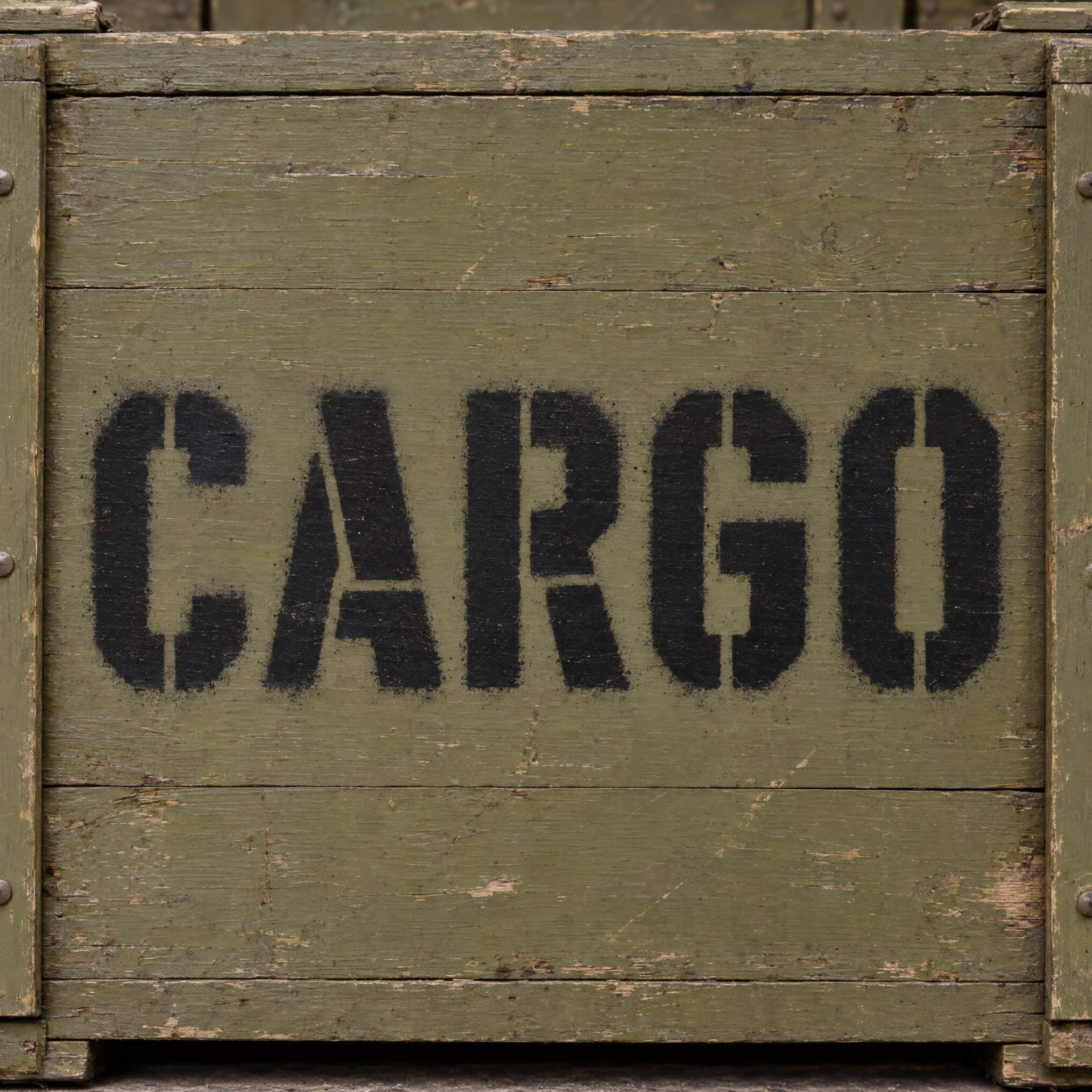
Bold, square-shouldered capitals broken by narrow stencil bridges, sprayed in flat black paint with crisp edges and a faint overspray.
TextWrite the word "CARGO". Spell it exactly as written, without adding or changing any letter.
Font designStencil lettering: bold, square-shouldered sans-serif capitals like the lettering stencilled on military crates, every letter reads at a glance. Each letter is broken by narrow, straight gaps where a cut stencil needs bridges to hold together, so closed shapes such as O, A and R split into separate pieces. The paint was sprayed through the stencil, so the edges are crisp, with a faint soft overspray just outside them and slightly uneven coverage. Every letter is flat black paint. Like the markings on an army supply crate.
SceneSpray-painted on the side of an olive-drab wooden crate, with no other text; the word is centered, fills most of the width and reads clearly.
127 words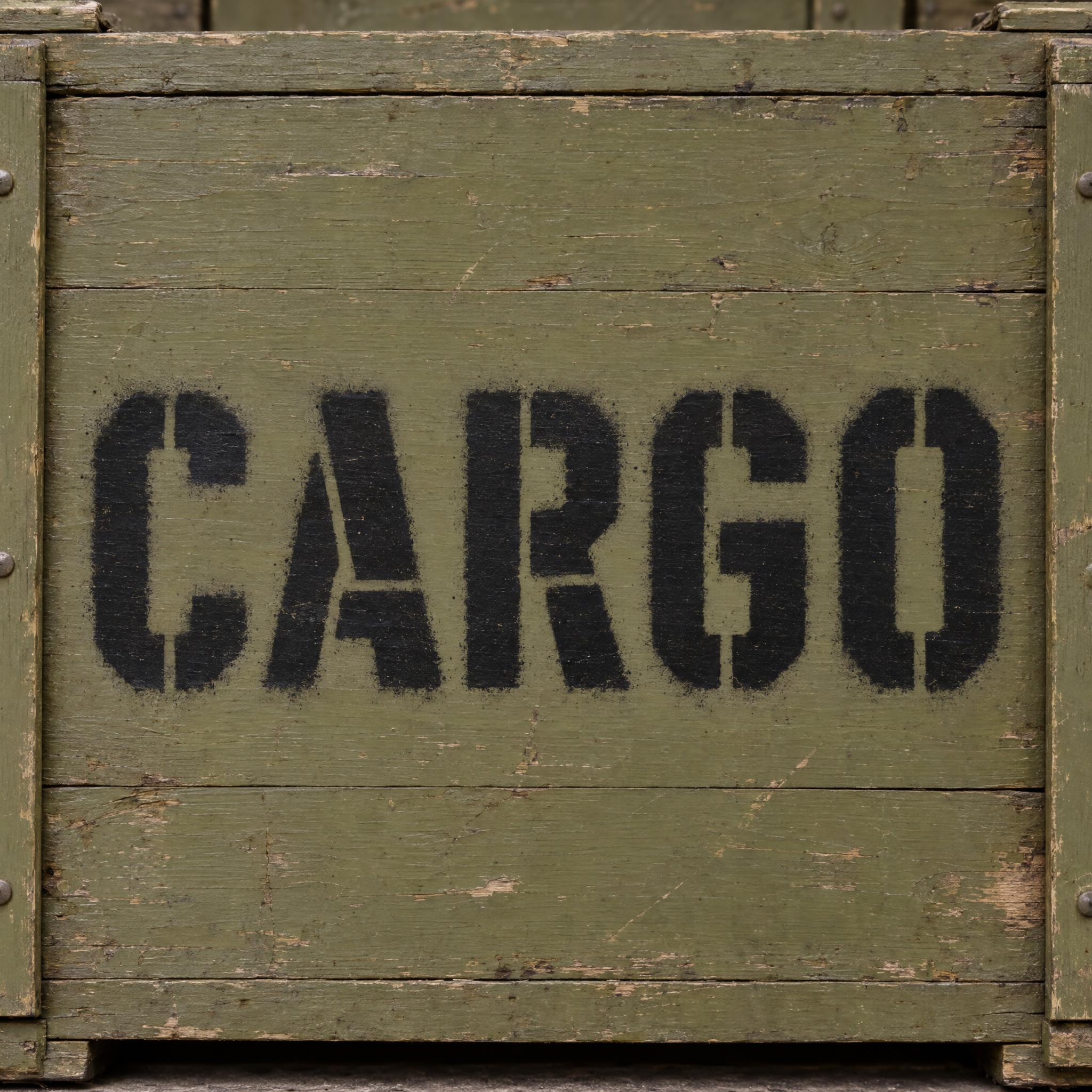
One prompt pasted into each image model as-is. These are the unedited results, so you can pick the model that suits you.
The heaviest, fuzziest overspray with speckle around every letter, on a worn, chipped crate.
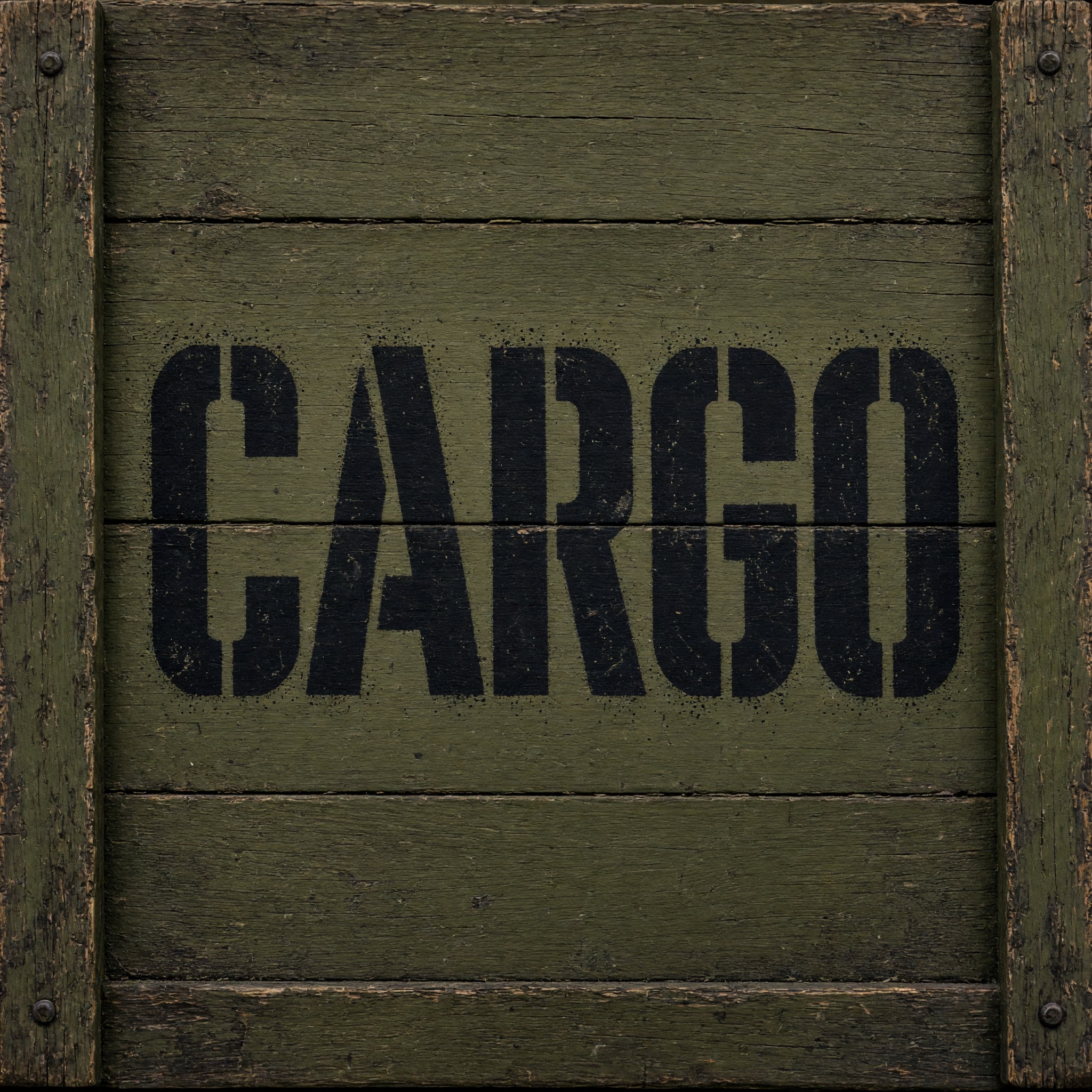
Grainy, speckled overspray on a dark crate; plank seams run through the letters.
Crisp letters with a soft haze, on pale grey-green weathered planks rather than olive drab.
The whole crate is in view and the word takes about two thirds of the width, with the softest haze.
The biggest and cleanest letters on a smooth painted panel, with only a faint haze.
The button opens FontVibe in DIY mode with this prompt already in it, unchanged. Type your word, pick a model and generate. GPT Image, Nano Banana, Seedream, Grok and Qwen are all in one account, so you can see which one cuts the bridges cleanly for your word without signing up to five apps. Every account gets free credits each month with no card needed, and you can export a transparent PNG to put the stencil on your own patch, shirt or poster.
Layers in the order the prompt states them. Change one layer and the rest keeps working.
Every AIFont prompt opens with the same text part. Here it matters for a stencil-specific reason: once letters are cut into pieces, a model can lose track of which pieces belong to which letter. "Spell it exactly as written, without adding or changing any letter" keeps the word itself fixed while the shapes break up.
"Stencil lettering:" tells the model the letters are made by spraying through a cut-out, not drawn or printed, before anything else is described.
"bold, square-shouldered sans-serif capitals like the lettering stencilled on military crates" picks one branch of stencil type: the plain, blocky army marking rather than the serifed Stencil typeface of 1937. "every letter reads at a glance" stops the letters from getting so broken up that they turn into abstract shapes.
"Each letter is broken by narrow, straight gaps where a cut stencil needs bridges to hold together, so closed shapes such as O, A and R split into separate pieces" is the sentence that makes it a stencil. It explains why the gaps are there, so models put them where a real stencil would need them, through the closed shapes, instead of scattering random cuts across every stroke.
"The paint was sprayed through the stencil, so the edges are crisp, with a faint soft overspray just outside them and slightly uneven coverage" is the second half of the look. Crisp edges show a stencil was there; the faint haze and uneven paint show it was sprayed by hand. Drop it and you get clean vector letters that look printed.
"Every letter is flat black paint." is the only colour line, so you can change it on its own: white on a dark crate, safety yellow or army olive all keep the stencil look.
"Like the markings on an army supply crate." gives every model the same reference picture, so the result looks like working equipment rather than a graphic-design poster.
"Spray-painted on the side of an olive-drab wooden crate, with no other text" puts the word on the surface stencils are most often used on and blocks the serial numbers and warning lines models like to add; "the word is centered, fills most of the width and reads clearly" keeps the word the star. Swap this part for your own use.
Small edits that stay on-style. Change one thing at a time.
Type it in the box next to Prompt above and copy again. Short words in capitals work best: a unit name, a call sign, CARGO, FRAGILE or your own name.
Swap "Every letter is flat black paint." for "Every letter is flat white paint.", "Every letter is safety-yellow paint." or "Every letter is faded red paint."
Replace "The paint was sprayed through the stencil, so the edges are crisp, with a faint soft overspray just outside them and slightly uneven coverage" with "The paint was rolled on through the stencil, so the edges are perfectly crisp and the coverage is solid" for a clean sign, or with "The paint was sprayed quickly through the stencil, with a wide fuzzy overspray, thin patches and a few runs" for a rough, field-painted look.
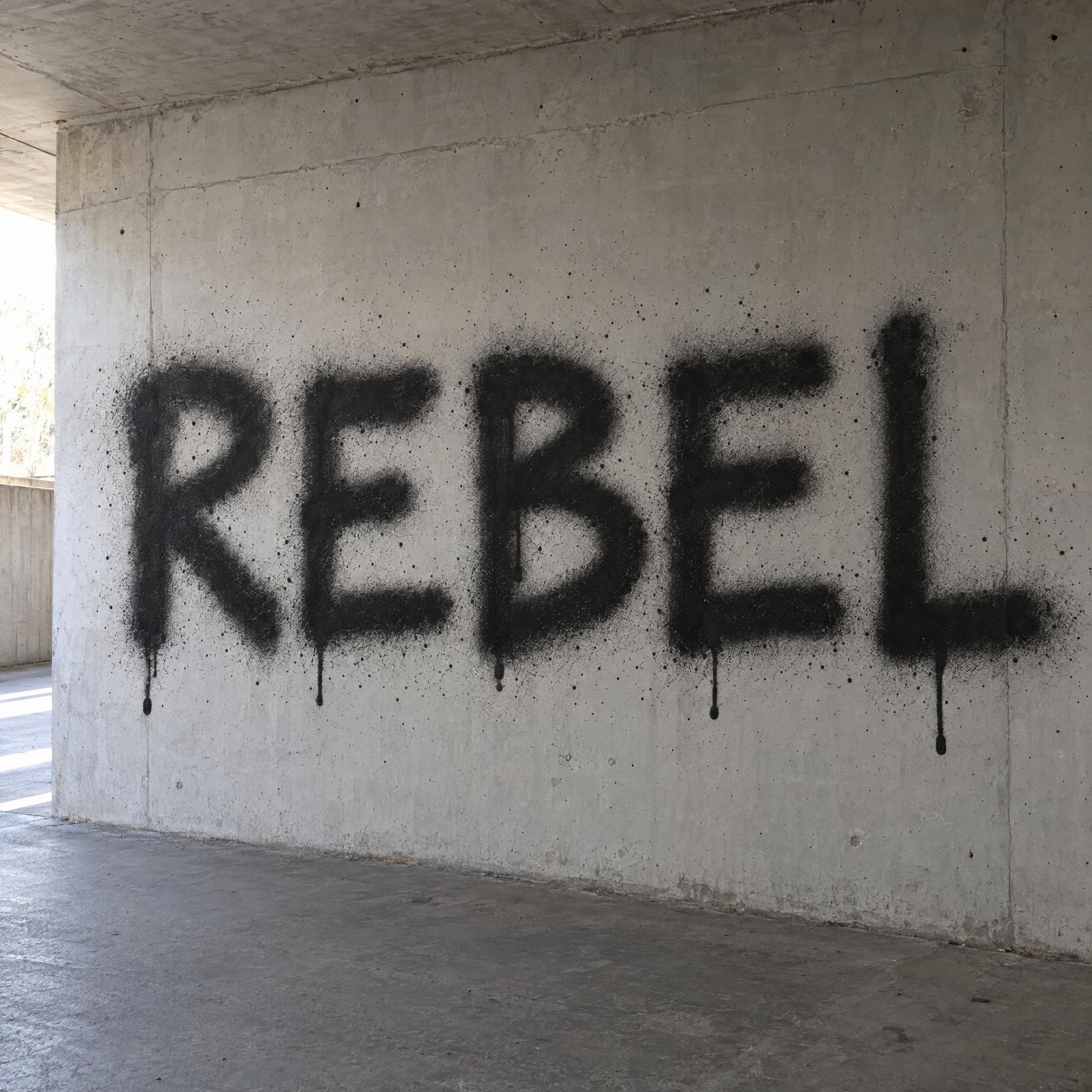
Replace "Spray-painted on the side of an olive-drab wooden crate, with no other text" with "Spray-painted on a grey concrete wall, with no other text", "Spray-painted on the door of a rusty steel shipping container, with no other text" or "Printed across a black T-shirt laid flat, with no other text".
The prompt sets no frame size. Pick the ratio in your app, or add "Wide 16:9 image." or "Tall 4:5 image." at the end. Stencilled words are usually long and low, so 16:9 suits a crate side or a banner.
AI fonts that share the most tags with Stencil Font.
 Premium
AI fonts for a second line, a logo lock-up or a poster footer.
Stencil Font draws your word the way it would look sprayed through a cut stencil onto a military crate: bold, square-shouldered sans-serif capitals, each one broken by the narrow, straight gaps a stencil needs to hold together. Closed shapes such as O, A and R split into separate pieces, and the flat black paint has crisp edges with a faint, soft overspray just outside them.
Type your word in the box above the prompt, copy it and paste it into ChatGPT, Gemini, Grok, Qwen or Seedream. The prompt has three parts: the text, the font design and the scene. The font design makes the letters, the bridges and the sprayed paint; the scene puts the word on the side of an olive-drab wooden crate, and you can swap it for your own. Every image on this page is what each model returned from the unchanged prompt, with no retouching.
Use it for military and army-themed graphics, crate and cargo labels, industrial and warehouse signs, streetwear and T-shirt prints, and airsoft, paintball or game-night posters.
Details from the original render. Every one of them is named in the prompt.
Narrow straight gaps split closed shapes into separate pieces.
Bold, square-shouldered sans-serif capitals, like crate markings.
Sharp edges where the stencil held the paint back.
A faint haze just outside the letters and slightly uneven paint.
Pulled from the render. Handy when you build the rest of the design around the word.
Where this AI font earns its keep.
A stencil is a sheet with shapes cut out of it: paint goes through the holes and onto the surface underneath. The difficulty is letters with closed shapes. Cut an O out of a sheet and the middle falls out with it. So stencil makers leave narrow uncut strips, called bridges, that tie these inner pieces, the islands, to the rest of the sheet and keep the stencil in one piece so it can be used again. The gaps you see in stencil lettering are those bridges.
Armies have used stencils for a long time and still do, to mark equipment, vehicles, rations, signposts and helmets: the method is cheap, quick, and every copy comes out the same. That is why stencil lettering reads as military, and why searches for military and army fonts mostly lead to this look.
As a typeface, Stencil arrived twice in 1937, within months: R. Hunter Middleton's version for Ludlow was advertised in June, and Gerry Powell's for American Type Founders followed about a month later. Both are heavy capitals based on Clarendon, with breaks that imitate stencilled letters, and they became the standard shorthand for army-themed titles such as M*A*S*H. This prompt asks for the plainer square sans-serif capitals of crate markings instead, and for what makes them look real: bridges where a stencil needs them, and paint that was sprayed through it.
Sources: Wikipedia — Stencil · Wikipedia — Stencil (typeface)
Stencils come into common use in Europe to add colour to black-and-white prints, especially playing cards.
R. Hunter Middleton's Stencil for Ludlow is advertised in June; Gerry Powell's for ATF follows a month later.
The band Crass begins spraying stencilled anti-war messages in the London Underground.
In English all five models wrote CARGO correctly and all cut real stencil bridges through the closed letters. GPT Image and Grok give the roughest, most hand-sprayed paint; Qwen the biggest, cleanest letters; Seedream the softest haze with the word set smaller. In other languages the weak spot is Qwen: it wrote FRACHT as FRACFT in German, and in Japanese, Chinese and Arabic it drew solid outlined letters with no bridges, twice each. Compare them side by side above.
Neither. It is a prompt that makes a picture of your word as stencil lettering with an AI image model. There is no font to install and no template to print and cut. If you need physical letter stencils to paint with, look for printable stencil sheets or a cut plastic set; this page is for when you want the finished, sprayed look as an image.
Yes, for most people. When people search for a military or army font they usually mean this look: plain block capitals cut by stencil bridges, as sprayed on crates and vehicles. Change the scene to a vehicle, a helmet or a sandbag wall and the colour to white or army olive for other military looks.
A real stencil only needs bridges where a piece would otherwise fall out, which is inside closed shapes such as O, A, R and B. Letters like L or T have nothing to hold, so they can stay whole. The prompt explains this reason instead of asking for gaps everywhere, and most models follow it.
Type it in the box next to the prompt and copy the full prompt again. Short words in capitals keep the letters big and the bridges easy to see.
Change only "Every letter is flat black paint.", for example to "Every letter is flat white paint." for a dark crate or wall. The bridges and the spray stay the same.
Pick the ratio in your app if it has one. If not, add "Wide 16:9 image." or "Tall 4:5 image." at the end of the prompt.
Replace the scene with a plain one, for example "The word is on a plain white background.", and remove the background in any editor. Or use the FontVibe button above: it can export a transparent PNG.
Copying the prompt is free. Whether the image costs anything depends on the app you paste it into, and what you may do with the image depends on that app's terms.